
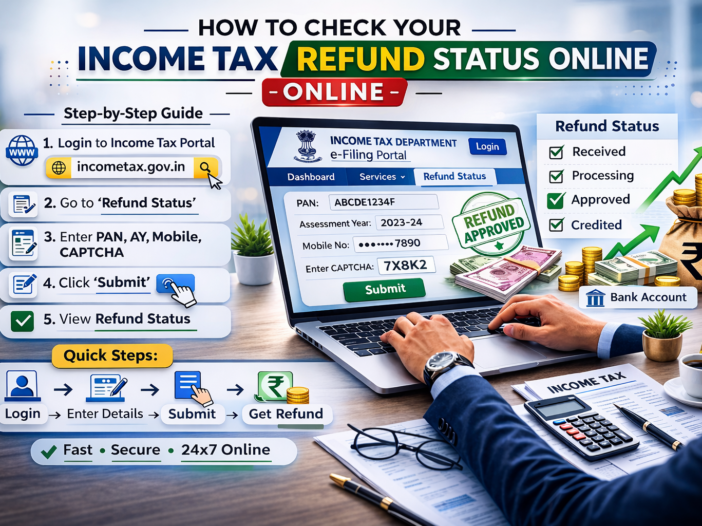
After filing your income tax return is one of the most anticipated updates the status of your income tax refund. The process is to check your refund status online is quick and straightforward. Here a step-by-step guide to help you track your income tax refund status in India.
What Is an Income Tax Refund?
An income tax refund is the amount the Income Tax Department pays back to a taxpayer when the taxes paid exceed the actual tax liability. This usually happens when excess tax has been deducted at source (TDS), or the taxpayer has paid more advance tax or self-assessment tax than required.
When Can You Check Your Refund Status?
Typically, the after filing your Income Tax Return (ITR) and verifying the Income Tax Department processes your return. Once processed and if you’re eligible, a refund is issued. You can check the status after a few days of e-verifying your ITR. Generally income tax refund is issued within 15 days to 1 month, in some case it may take long, there is no time limit for it.
Methods to Check Income Tax Refund Status Online
- Through the Income Tax e-Filing Portal
Step-by-step:
- Visit https://www.incometax.gov.in
- Log in your PAN (User ID), password, and captcha.
- Go to the e-File’ > ‘Income Tax Returns’ > ‘View Filed Returns’.
- Select the relevant assessment year.
- Click on ‘View Details’ to see the status of your return and refund.
Status Indicators:
- Refund Issued: Refund has been processed and sent.
- Refund Failed: Due to incorrect bank details or other issues.
- Under Processing: Your return is still being reviewed.
- Processed with No Refund: Return processed but no refund is due.
- Through NSDL (TIN-NSDL) Website
Step-by-step:
- Go to https://tin.tin.nsdl.com/oltas/refund-status-pan.html
- Enter your PAN number.
- Select the Assessment Year.
- Enter the captcha code and click ‘Proceed’.
This site provides basic status updates like refund dispatched, mode of payment (NEFT, cheque), and refund failure reasons if any.
Common Refund Delays and Solutions
- Incorrect Bank Details: Please Update bank details your profile or revalidate your bank account are the e-filing portal.
- Mismatch in Tax Credits: Verify Form 26AS to ensure TDS credits match your return.
- Pending Verification: Ensure your return has been e-verified. Without verification, return is not processed.
Final Tips
- Enable Email/SMS Alerts: You’ll receive updates on refund status if you’ve provided correct contact details.
- Track Regularly: It’s advisable to check once a week after filing and verification.
- Use the Helpdesk: If delays persist, contact the CPC Bangalore or raise a grievance via the e-filing portal.