
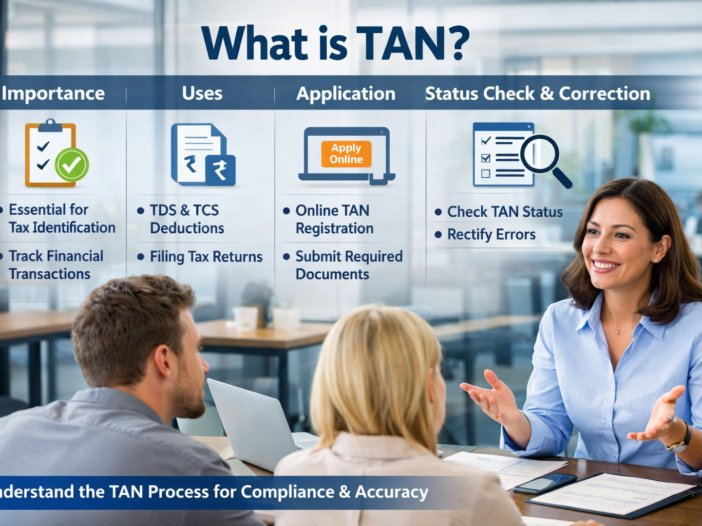
Introduction
Many businesses and professionals face confusion when they start deducting tax at source. Without proper registration, you cannot legally deduct or deposit tax. As a result, you may face penalties and compliance issues.
To solve this problem, the government has introduced TAN (Tax Deduction and Collection Account Number). Therefore, you must obtain TAN before handling any TDS or TCS transactions.
What is TAN?
TAN is a 10-digit alphanumeric number issued by the Income Tax Department.
You must use TAN whenever you:
- Deduct Tax at Source (TDS)
- Collect Tax at Source (TCS)
For example: DELX12345A
Importance of TAN
TAN plays a crucial role in tax compliance. Without it, you cannot proceed legally with TDS or TCS.
Therefore, TAN helps you:
- File TDS/TCS returns accurately
- Ensure correct tax credit to recipients
- Maintain transparency in transactions
- Avoid penalties and notices
If you fail to quote TAN, authorities may impose a penalty of ₹10,000.
Eligibility / Use of TAN
Now, let’s understand who needs TAN and where you must use it.
You must apply for TAN if you:
- Deduct TDS on salary (Form 130)
- Deduct TDS on payments like rent, fees, or interest (Form 131)
- Collect TCS on specified transactions
In addition, you use TAN for:
- Filing TDS returns
- Issuing TDS certificates
- Complying with tax regulations
Step-by-Step Process to Apply for TAN
You can apply through
Protean eGov Technologies Limited
Step 1: Open Application Portal
Visit:
https://tin.tin.nsdl.com/tan/form49B.html
Step 2: Fill Form 49B
Enter:
- Name of applicant
- Address
- Contact details
- AO Code
Step 3: Submit Application
Carefully verify all details and submit the form.
Step 4: Pay Fees
Pay ₹65–₹75 using:
- Net Banking
- Debit/Credit Card
- UPI
Step 5: Generate Acknowledgement
After submission:
- You will receive a 14-digit acknowledgement number
- Save it for future use
Step 6: Complete Verification
Choose one:
- Aadhaar e-sign (fastest)
- DSC (digital signature)
- Physical submission
Step 7: Receive TAN
You will receive TAN within:
- 3–10 working days depending on mode
Documents Required
Generally, you do not need to upload documents. However, you must provide:
- Correct name and address
- Valid contact details
- Proper signature (if physical mode)
Fees / Charges
You must pay a nominal fee:
- ₹65–₹75 for application
- Additional charges may apply for correction
Mistakes to Avoid
While applying, you should avoid common errors.
Therefore, ensure that you:
- Do not apply for multiple TANs
- Enter correct name and details
- Select correct AO Code
- Verify information before submission
- Keep acknowledgement number safe
How to Check TAN Application Status
Visit:
https://tin.tin.nsdl.com/tan/TANStatus.html
Steps:
- Enter acknowledgement number
- Enter name
- Click submit
You can track:
- Application progress
- TAN allotment
- Dispatch status
TAN Correction Process
If you make any mistake, you can correct it easily.
Visit:
https://tin.tin.nsdl.com/tan/ChangeRequest.html
Steps:
- Enter TAN number
- Select correction field
- Update details
- Pay fee
- Verify using e-sign, DSC, or physical mode
FAQs
1. Is TAN mandatory?
Yes, you must obtain TAN if you deduct or collect tax at source.
2. Can I have more than one TAN?
No, you can hold only one TAN per entity.
3. How long does it take to get TAN?
Generally, it takes 3–10 working days.
4. Can I apply TAN without PAN?
Yes, PAN is not mandatory but recommended.
5. Can I correct TAN details later?
Yes, you can apply for correction anytime.
Conclusion
To conclude, TAN is an essential requirement for TDS and TCS compliance. Moreover, it ensures transparency, proper reporting, and smooth tax filing.
Therefore, you should apply for TAN correctly, track your application regularly, and update details whenever required to avoid penalties and ensure compliance.